
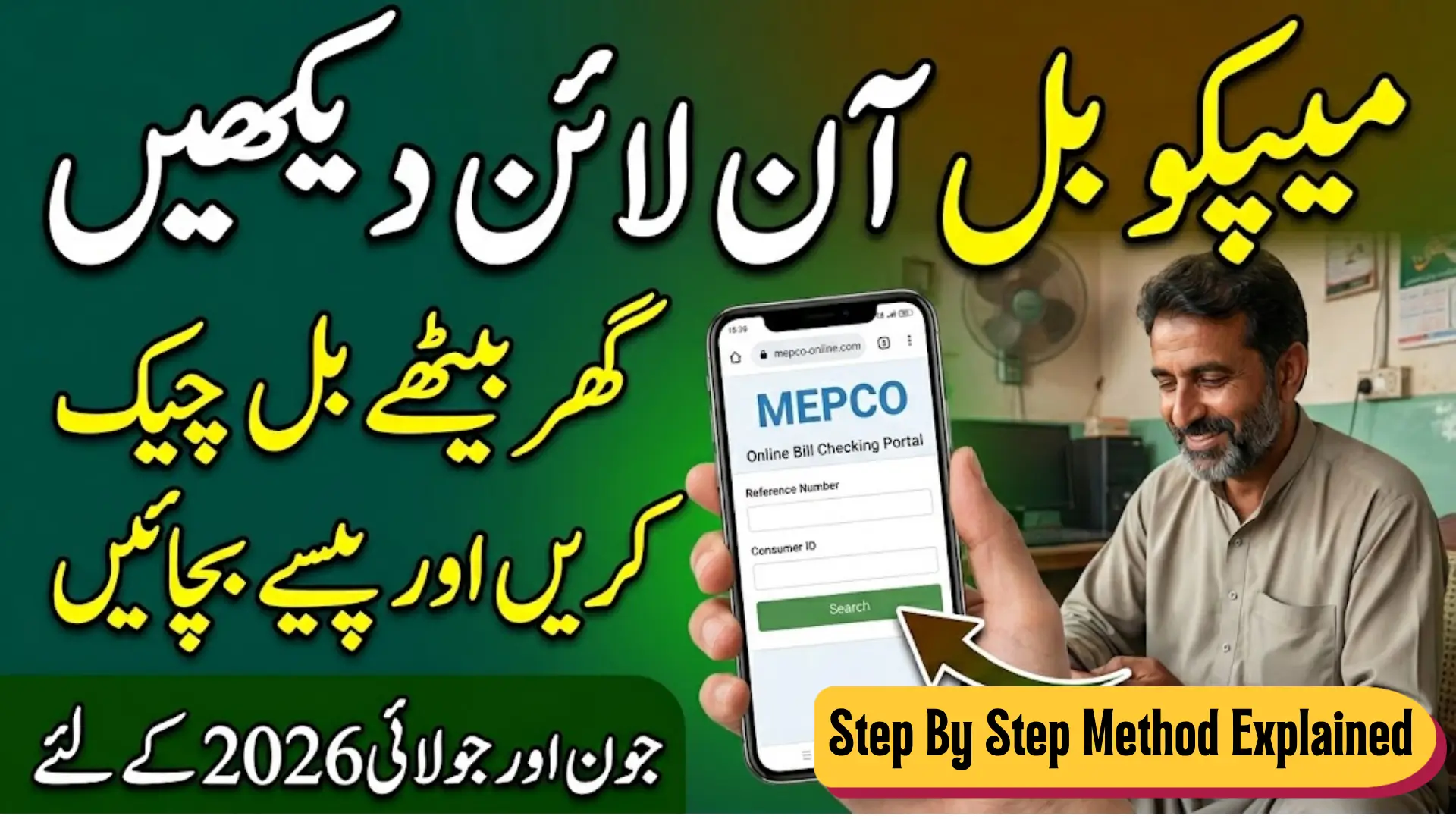
MEPCO Bill Check Online
Electricity bills in Pakistan come with stress. You are either waiting for the bill to arrive, or the paper copy gets lost, or someone in the house misplaces it before the due date. Sound familiar?
Good news. If you are a MEPCO customer in South Punjab, you do not need to wait for a paper bill anymore. You can check your MEPCO bill online in just a few minutes using your Reference Number or Consumer ID. Whether it is June 2026 or July 2026, the process is the same and it works on your mobile, laptop, or computer.
This guide covers everything. How to check, what you need, how to save your bill, and what to do if your bill is not showing up.
MEPCO BILL
Quick Answer
MEPCO Online Bill Check Overview
The overview of MEPCO bill check online is given below
| Detail | Info |
|---|---|
| Organization | Multan Electric Power Company (MEPCO) |
| Service Area | South Punjab, Pakistan |
| Bill Check Method | Online via official website |
| Required Info | Reference Number or Consumer ID |
| Official Website | mepco.com.pk |
| Works On | Mobile, Tablet, Laptop, Computer |
| Cost | Free |
What is MEPCO and Who Can Use This Service
MEPCO stands for Multan Electric Power Company. It supplies electricity to millions of households and businesses across South Punjab, covering cities like Multan, Bahawalpur, Dera Ghazi Khan, Sahiwal, Vehari, Khanewal, Muzaffargarh, Rahim Yar Khan, and surrounding areas.
If your electricity connection falls under MEPCO, you can check your bill online anytime. No need to visit the MEPCO office. No need to call anyone. Just your phone and internet connection.
Also Read: BISP 8171 New Registration Officially Started June 2026
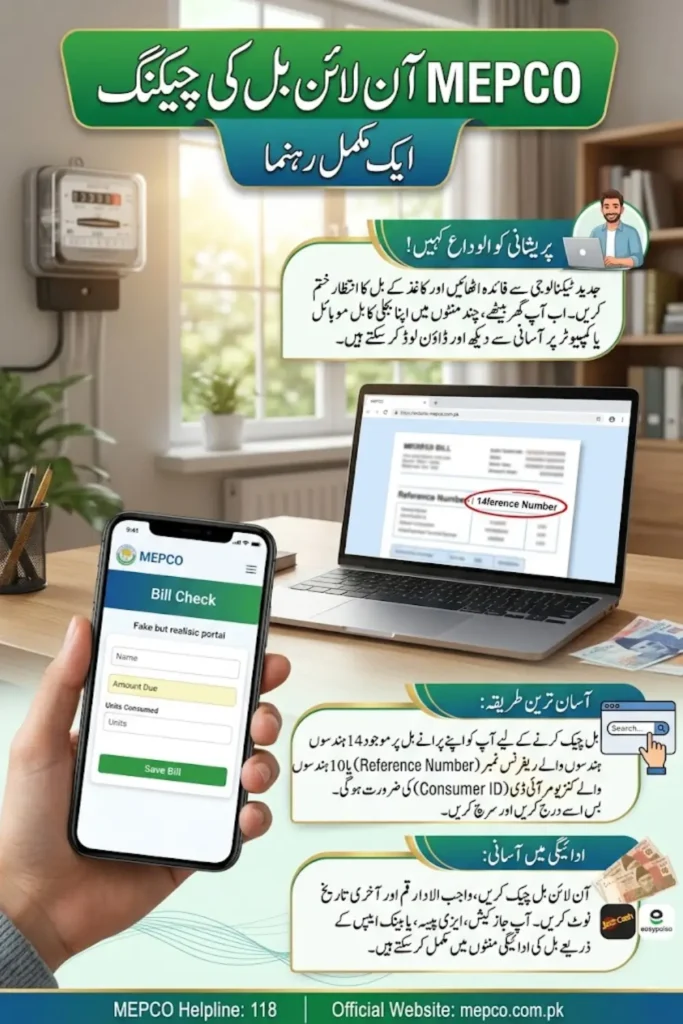
What Documents and Things You Need to Check Your MEPCO Bill Online
Before you start, make sure you have the following ready. This will save you time and frustration.
This is the most important thing. Without it, you cannot check your bill.
Your Reference Number is a 14-digit number printed on your old electricity bill. It is usually found at the top of the bill near your name and address. Your Consumer ID is also printed on your paper bill and serves the same purpose.
If you have never received a paper bill, ask your landlord or the previous tenant. You can also visit your nearest MEPCO office to get your Reference Number.
You can use any device to check your bill online. Android mobile, iPhone, Windows laptop, or desktop computer, all work fine. The MEPCO website opens in any browser including Chrome, Firefox, and Safari.
This sounds obvious, but it matters. Before you open the MEPCO website, make sure your internet is actually working. Many people waste time thinking the website is broken when the real problem is their own internet.
Quick test: open Google or YouTube before visiting the MEPCO site. If those open normally, your internet is fine. If they are slow or not opening, fix your connection first.
A good WiFi connection or a stable mobile data connection is all you need.
Also Read: 8171 Ehsaas Program Complete Guide
How to Check Your MEPCO Bill Online Step by Step
Follow these steps carefully. The process is simple and takes less than 2 minutes.
That is it. Your bill is right there.
How to Save Your MEPCO Bill on Your Mobile or Computer
Once your bill appears on screen, you do not want to lose it. Here is how you can save it easily.
On Android mobile, press the Volume Down + Power button at the same time. The screen will capture and save to your gallery. On iPhone, press Side button + Volume Up. On a laptop, press the PrtSc key or use the Snipping Tool on Windows.
Some versions of the MEPCO website show a Save, Download, or Print button on the bill page. If you see it, click it. Your bill will download as a PDF file directly to your device.
On Chrome browser (mobile or desktop), tap the three dots menu and select Print. Then change the destination to Save as PDF. Click Save. Your bill will be saved as a PDF file on your device.
Once saved, you can share it on WhatsApp, keep it for your records, or show it at the bank when paying.
Also Read: Sehat Sahulat Program Revived in Islamabad
What If Your MEPCO Bill Is Not Showing Online
This is one of the most common questions people have. You searched correctly but nothing is showing up. Do not panic. There are a few reasons this can happen.
MEPCO generates bills on a monthly cycle. If you are checking too early, your current month’s bill may simply not be ready yet. The system only shows your bill after MEPCO has officially printed and dispatched it for that billing cycle. Wait a few days and try again.
This happens more than you think. One wrong digit in your 14-digit Reference Number will show no result or the wrong account. Go back and double-check every digit against your old paper bill. Pay special attention to similar-looking numbers like 0 and 8, or 1 and 7.
If your internet drops in the middle of loading, the page may appear blank or show an error. Check your connection, refresh the page, and try again. Switch from mobile data to WiFi or vice versa if one is not working well.
Government websites in Pakistan sometimes go down for maintenance or due to high traffic. If the MEPCO website is not opening at all or is showing a server error, wait for 30 minutes to an hour and try again. This is temporary and usually resolves on its own.
If you have recently moved into a new house or your connection is new, you may not have the correct Reference Number yet. In this case, visit your nearest MEPCO office with your CNIC and they will provide your correct Consumer ID.
Can You Check MEPCO Bill on Mobile Without Internet
No. The MEPCO online bill check service requires an active internet connection. There is no offline option. However, once you have saved the bill as a screenshot or PDF, you can view it anytime without internet.
Also Read: She Threads Program: Punjab Invests Rs. 310 Million to Train Rural Women in Textile Skills
Other Ways to Check Your MEPCO Bill
If the website is not working for any reason, here are a few backup options:
Which Districts Are Covered Under MEPCO
MEPCO stands for Multan Electric Power Company and it serves 13 districts of South Punjab. If your home or business falls in any of these districts, your electricity bill comes under MEPCO. The districts covered by MEPCO are:
- Multan
- Bahawalpur
- Rahim Yar Khan
- Sahiwal
- Vehari
- Khanewal
- Muzaffargarh
- Dera Ghazi Khan
- Rajanpur
- Layyah
- Lodhran
- Pakpattan
- Bahawalnagar
If you live in Lahore, your bill comes under LESCO. If you are in Faisalabad, it falls under FESCO. And if you are in Peshawar, it is PESCO. Each city and region has its own electricity distribution company. So before checking your bill online, make sure you are on the right website for your area.
How to Pay Your MEPCO Bill Online After Checking
Once you have checked your bill and noted the amount due, you do not need to go to a bank or stand in a long queue. You can pay your MEPCO bill online in just a few minutes from your phone.
Open the JazzCash app, go to the bill payment section, select WAPDA or Electricity, choose MEPCO, enter your Reference Number, and confirm the amount. Your payment will be processed instantly and you will receive a confirmation message.
Open the Easypaisa app, tap on Bill Payment, select your electricity company as MEPCO, enter your Reference Number, verify the amount, and press Pay. Done. A receipt will be sent to your mobile number.
You can also pay through bank apps including:
- HBL Mobile
- UBL Omni
- MCB Mobile Banking
- Meezan Bank App
- Bank Alfalah ALFA App
All these apps have a dedicated bill payment section. Just select electricity, enter your MEPCO Reference Number, and follow the on-screen steps.
Also Read: PM Shahbaz Shairf Orders Faster Loan Approvals and More Facilities Under Apna Ghar Scheme 2026
If you prefer offline payment, visit any bank ATM and use the bill payment option. You can also walk into any bank branch and ask the staff to process your MEPCO bill payment. Always save or photograph your payment receipt after completing the transaction.
What Is the Due Date and What Happens If You Miss It
Your MEPCO bill clearly shows a due date printed near the top. This is the last date to pay your bill without any extra charges.
If you pay after the due date, MEPCO adds a late payment surcharge to your next bill. This extra amount keeps increasing the longer you delay. After a certain number of days past the due date, MEPCO has the authority to disconnect your electricity connection without further notice.
Getting your connection restored after disconnection is not simple. You have to pay the full outstanding amount plus separate reconnection charges before the supply is restored. This process can take extra time and causes unnecessary hassle.
The simple solution is to check your bill as soon as it is generated and pay it a few days before the due date. Do not wait for the last day.
How to Check MEPCO Bill for a Rented House
This is a very common situation in Pakistan. Many people living in rented houses do not have the electricity bill in their name, which means they do not always have the Reference Number ready.
If you are a tenant, the first step is to ask your landlord for the old electricity bill or at least the 14-digit Reference Number. The bill is usually registered in the landlord’s name, but the tenant is responsible for paying it every month.
If your landlord is not sharing the bill or Reference Number, you have two options. First, try to find any old bill left in the house when you moved in. Second, visit the nearest MEPCO subdivision office with the full property address and your CNIC. The staff there can look up the account using the address and give you the Reference Number.
Do not wait too long. The due date does not change just because you could not find the bill.
Why Is Your MEPCO Bill Higher Than Usual This Month
This is one of the most searched questions in summer, and honestly, the answer is usually simple. You used more electricity.
During the months of May, June, and July, electricity consumption in South Punjab shoots up because of ACs, fans, coolers, and refrigerators running almost 24 hours a day. Higher units consumed means a higher bill. That is normal.
But wait. What if the units look wrong to you? Open your current bill and compare the units consumed this month with the units on your last month’s bill. If the difference seems too large and does not match your usage, there may be a meter reading error.
In that case, visit your nearest MEPCO office with both bills and file a complaint. MEPCO will send someone to re-check the meter. Always focus on units consumed first, not just the total rupee amount, because taxes and surcharges can also increase the final figure even if usage stays the same.
How to File a Complaint About Your MEPCO Bill
If you believe your MEPCO bill is incorrect, you have every right to raise a complaint. You do not have to simply accept a wrong bill.
Here is how you can complain:
Call the MEPCO helpline 118. This is the official number for complaints, queries, and reporting faults. The helpline is available during office hours and the staff will guide you on the next steps.
Visit your nearest MEPCO subdivision office with your bill copy and original CNIC. Explain the issue to the customer service desk. They will log your complaint and give you a complaint number. Keep that number safe for follow-up.
You can also register complaints through the official MEPCO website. Look for the complaint or consumer services section on mepco.com.pk.
Always note down your complaint number after registering. This helps you track the status if the issue is not resolved quickly.
MEPCO Helpline and Contact Information
If you ever need help with your bill, meter, connection, or any electricity-related issue, here are the official MEPCO contact details:
For urgent issues like electricity theft, dangerous wiring, or transformer faults, call 118 immediately. The helpline also handles billing disputes and general consumer queries.
Difference Between Reference Number and Consumer ID
Many people get confused between these two. Both are printed on your MEPCO bill, but they are different numbers and serve slightly different purposes.
Your Reference Number is a 14-digit number and is the most commonly used option for checking your bill online. It is usually printed near the top of your bill next to your name and address.
Your Consumer ID is a 10-digit number also found on your bill. It can also be used to search your bill on the official MEPCO portal.
Here’s the thing. You only need one of them to check your bill online. If you have your Reference Number, use that. If you only have your Consumer ID, that works too. Both give you the same result on the bill check portal.
If you are not sure which one is which, just count the digits. 14 digits means Reference Number. 10 digits means Consumer ID.
Also Read: 8171 CNIC Check Online June Qist 14,500 Full Method Explained
Tips to Avoid Problems When Checking MEPCO Bill Online
A few simple habits will make this process much smoother every month:
- Always keep a photo of your old bill saved on your phone so you have your Reference Number handy
- Check your bill a few days after the expected billing date, not immediately
- Use a stable WiFi connection for best results
- Clear your browser cache if the website is loading slowly
- Do not share your Reference Number publicly or on social media
FAQs
Visit mepco.com.pk, click on Bill Inquiry, enter your 14-digit Reference Number or Consumer ID, and click Search. Your bill for June or July 2026 will appear with full details including amount due and due date.
The Reference Number is a 14-digit number printed on your MEPCO electricity bill near the top, next to your name and address. It is required to check your bill online.
Visit your nearest MEPCO subdivision office with your CNIC. The staff will help you find your Consumer ID or Reference Number.
Yes. Open a browser, visit mepco.com.pk, enter your Reference Number in the Bill Inquiry section, and view your bill. You can also take a screenshot to save it.
Possible reasons include: early bill checking before generation, wrong Reference Number entry, weak internet, or temporary website issues. Try again after checking these.
Take a screenshot, or use the browser print option to save as PDF. Some pages also offer a direct download option.
Yes. It is completely free. You only need your Reference Number or Consumer ID and an internet connection. No registration is required.
Conclusion
Checking your MEPCO bill online is one of those small habits that saves you from a lot of unnecessary trouble every month. You do not need to visit any office, wait for a paper bill, or call anyone. Just your phone, your Reference Number, and a working internet connection is all it takes.
If your bill is not showing, do not stress. Give it a day or two, double check your Reference Number, and make sure your internet is actually working before assuming something is wrong with the website. Most issues resolve on their own within a short time.
The due date on your bill is the only deadline that matters. Check your bill early, pay on time, and save a copy on your phone. That is really all there is to it.
Also Read: NAVTTC Free Livestock Training Program Registration Deadline Announced – Know Complete Detail