CM Rahmat Card App Online Application
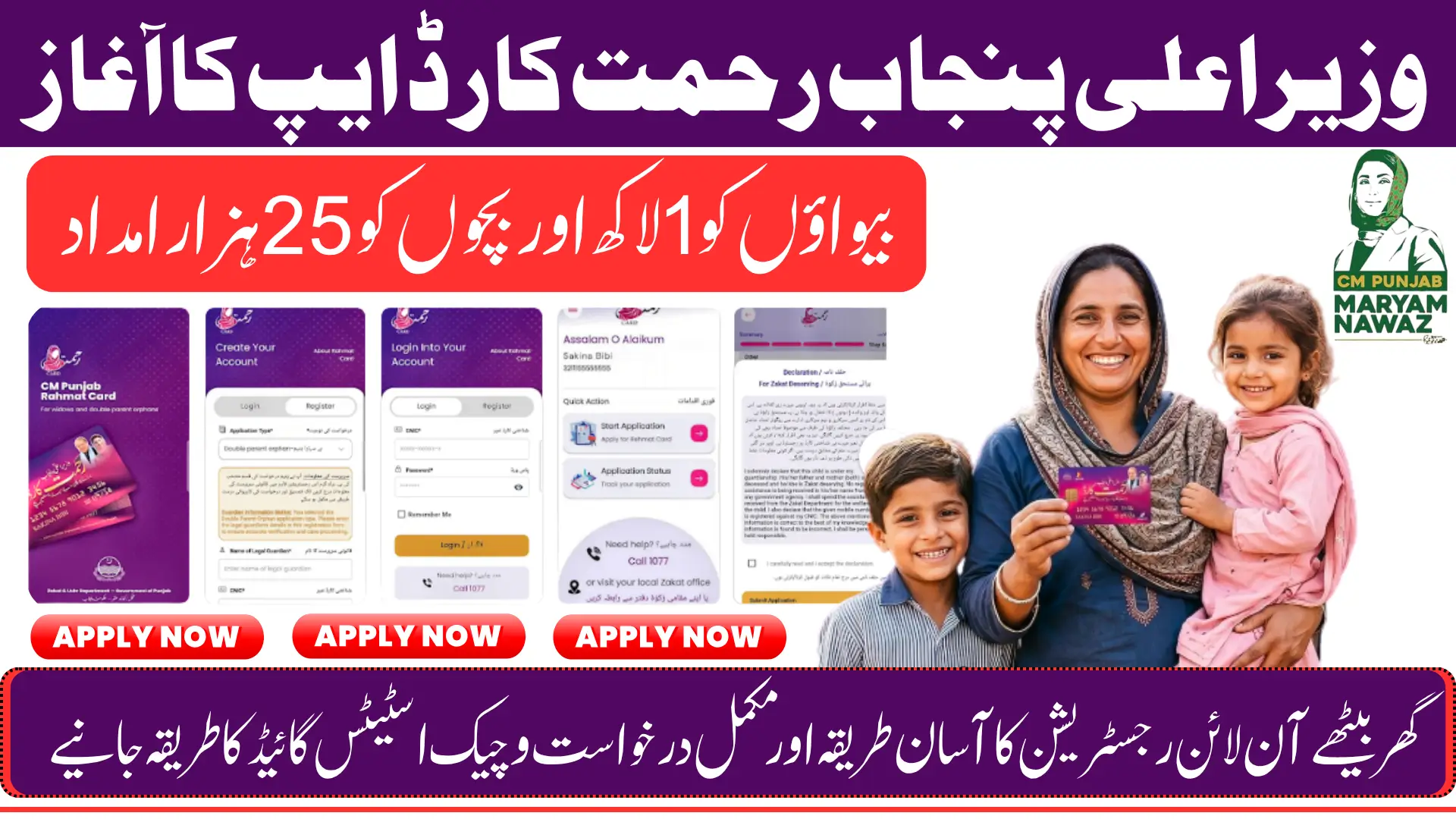
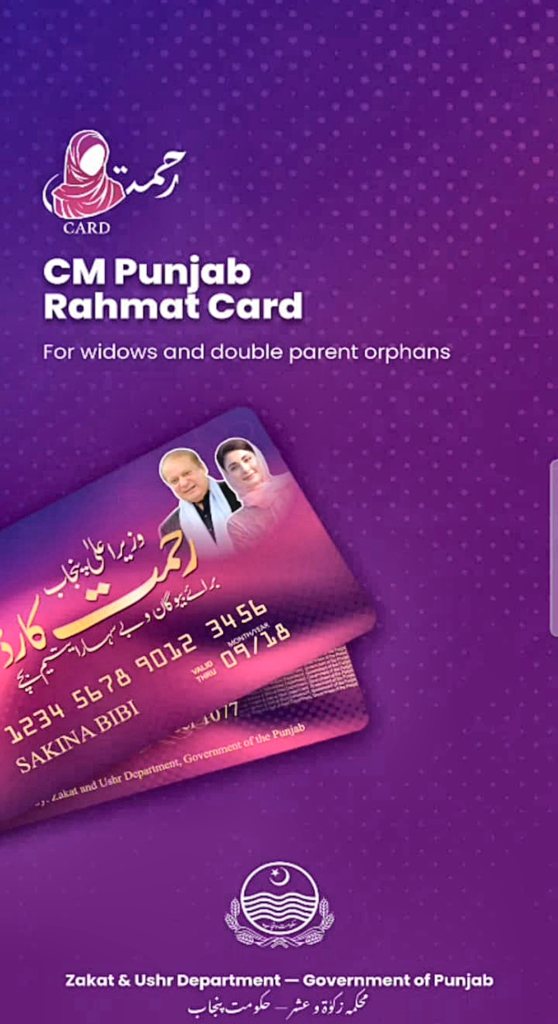
The Government of Punjab has launched the CM Rahmat Card program under the Zakat and Ushr Department to provide direct financial assistance to widows and helpless orphans across the province. A dedicated mobile application called CM Rahmat Card is now available on the Google Play Store, making the entire process of registration, application, and status tracking fully accessible from any Android smartphone without needing to visit any office or government counter.
This article covers the complete step-by-step process of downloading the CM Rahmat Card app, creating your account, verifying your phone number and email through OTP, starting your application, and checking your status after login. Everything explained here is based on the app process, and eligible widows and orphan households should read this guide carefully before beginning so they can complete the process correctly on their first attempt.
You Can Also Read: Punjab Launches Mobile Pest Surveillance Squads to Protect Crops
What Is the CM Rahmat Card Program and Who Benefits From It?
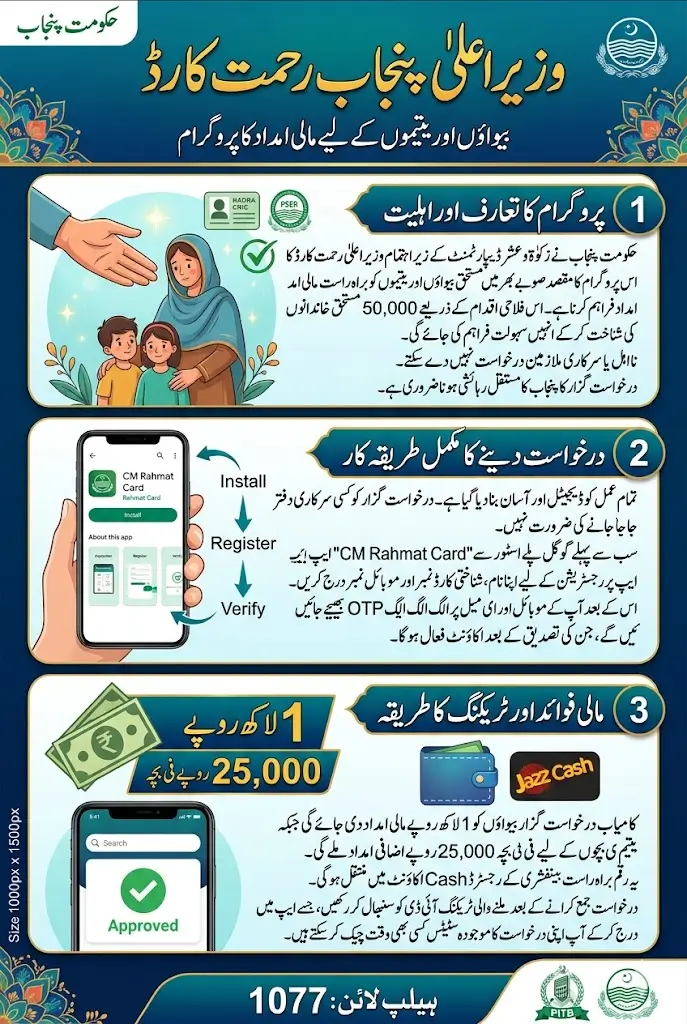
The Chief Minister Punjab Rehmat Card is a targeted welfare initiative specifically designed for two of the most financially vulnerable groups in Punjab, widows and helpless orphans. The program has been launched with the personal direction of the Chief Minister of Punjab and is being executed through the Zakat and Ushr Department in collaboration with the Punjab Information Technology Board. A total of 50,000 deserving families have been identified as the target beneficiaries for this scheme.
The financial support provided under this program is straightforward and meaningful. Eligible widows will receive Rs 1 lakh as direct financial assistance, while orphan households will also receive support under the program. The funds are delivered digitally through a Jazz Cash account linked to the registered mobile number of the beneficiary, ensuring that the assistance reaches the right person without delays or unnecessary middlemen in the process.
How to Find and Download the CM Rahmat Card App From Google Play Store?
The CM Rahmat Card app is the official platform through which all applications must be submitted in 2026. The app is available for free on the Google Play Store and can be downloaded on any Android smartphone. Before downloading, make sure your phone has a stable internet connection and enough storage space to install the application without interruption.
Steps:
- Open Google Play Store on your Android phone
- Search for CM Rahmat Card in the search bar
- Select the official app from Punjab Information Technology Board
- Tap Install and wait for the download to complete
- Open the app once installation is finished to begin the process
Finding and installing the app is simple and takes only a few minutes. Once installed, you will have full access to the registration, application, and tracking features directly from your phone screen.
You Can Also Read: Balochistan Launches Green Line Bus Service in Quetta
How to Create Your Account on the CM Rahmat Card App?
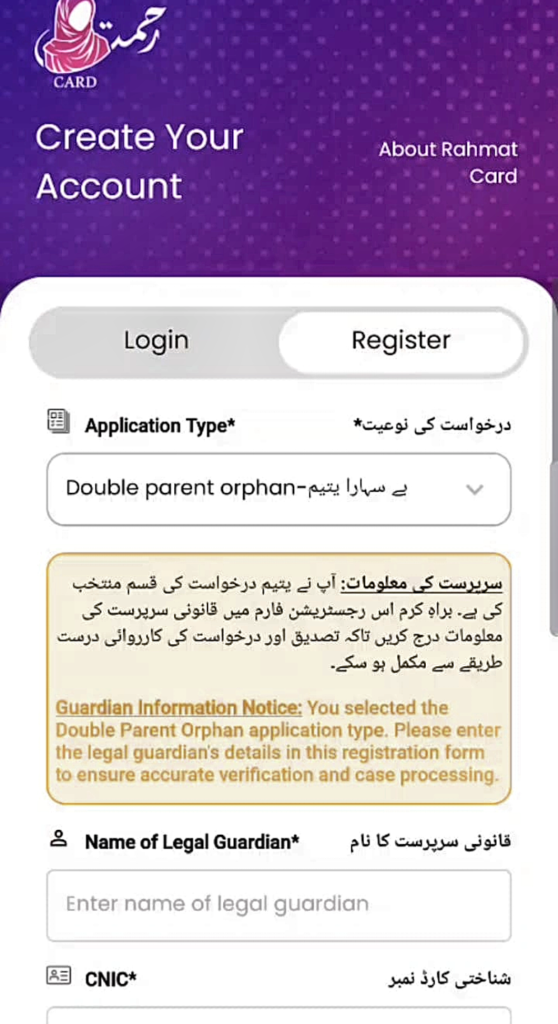
Once the app is open, you will need to create a new account before you can access any features or start your application. The account creation process requires basic personal information and involves verifying both your mobile number and your email address through separate OTP codes. This two-step verification ensures that your account is secure and linked to your real identity.
- Tap on the Create Account / Register button on the app’s welcome screen
- Fill in the registration form with the following details:
- Full name exactly as on your NADRA CNIC
- 13-digit CNIC number with dashes
- Active mobile number registered on your CNIC
- Valid and accessible email address
- Strong password (minimum 8 characters, including uppercase, lowercase, number, and a special character like @ or #)
- After submitting the form, enter the OTP sent to your mobile number in the verification box
- Then check your email inbox and enter the second OTP sent to your email address
- Complete both verifications to successfully activate your account
Both OTPs must be entered correctly and within the valid time window for your account to be successfully created and activated.
Who Qualifies and What Documents Are Needed Before Applying
Before starting your application inside the app, it is essential to confirm that you meet all the eligibility conditions set by the program. Applying without meeting these requirements will result in automatic rejection based on government data verification, so reviewing these conditions beforehand will save you time and effort.
The program uses data from the Punjab Socio-Economic Registry and NADRA records to cross-check every application, meaning any incorrect or false information will be detected during the verification process.
- You must belong to a low-income household as verified through official government records
- Your mobile number must be registered on the same CNIC you are using to apply
- Widows must have their widow status clearly reflected on their NADRA CNIC record
- You must not be a government employee or receiving any government pension
- Orphan applicants must have a valid B-Form issued by NADRA as proof of eligibility
- You must be a permanent resident of Punjab and currently residing within the province
Meeting all of these conditions at the same time is mandatory for your application to move forward in the system.
You Can Also Read: CM Punjab Rahmat Card Online Registration Started at rahmatcard.punjab.gov.pk
Program Details
Here is a complete overview of the CM Rahmat Card program for quick reference before you begin your application on the app:
| Program Detail | Information |
|---|---|
| Program Name | CM Punjab Rahmat Card |
| Launched By | Zakat and Ushr Department, Government of Punjab |
| Technology Partner | Punjab Information Technology Board |
| Total Beneficiary Families | 50,000 Families |
| Financial Assistance (Widows) | Rs 1 Lakh Per Household |
| Additional Support | Rs 25,000 Per Child |
| Beneficiary Selection | Punjab Socio-Economic Registry (PSER) |
| Payment Delivery | Jazz Cash Digital Wallet |
| Application Platform | CM Rahmat Card App on Google Play Store |
| Helpline Number | 1077 |
This overview gives you everything you need to understand the program at a glance before going through the detailed application steps inside the app.
How to Start Your Application After Logging Into the App?
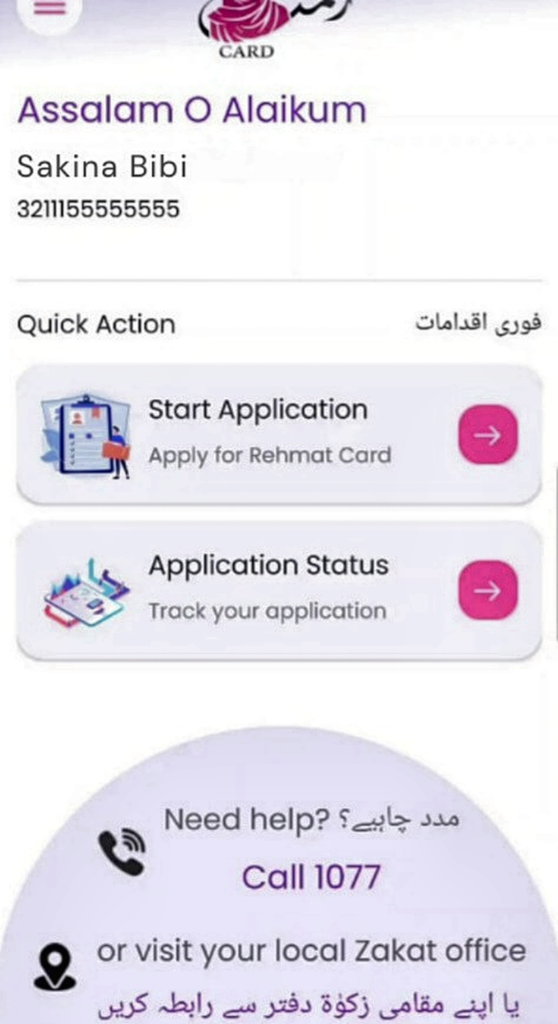
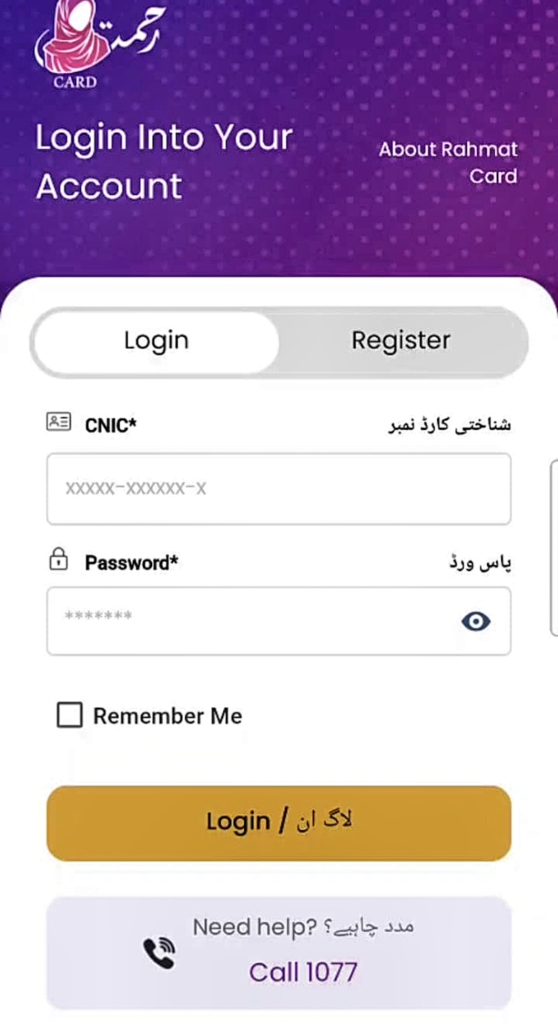
Once your account is created and both OTPs have been verified, you can log into the app using your CNIC number and the password you set during registration. After logging in successfully, the app will display your account dashboard where your application options and status tools are visible. This is where the actual application process begins.
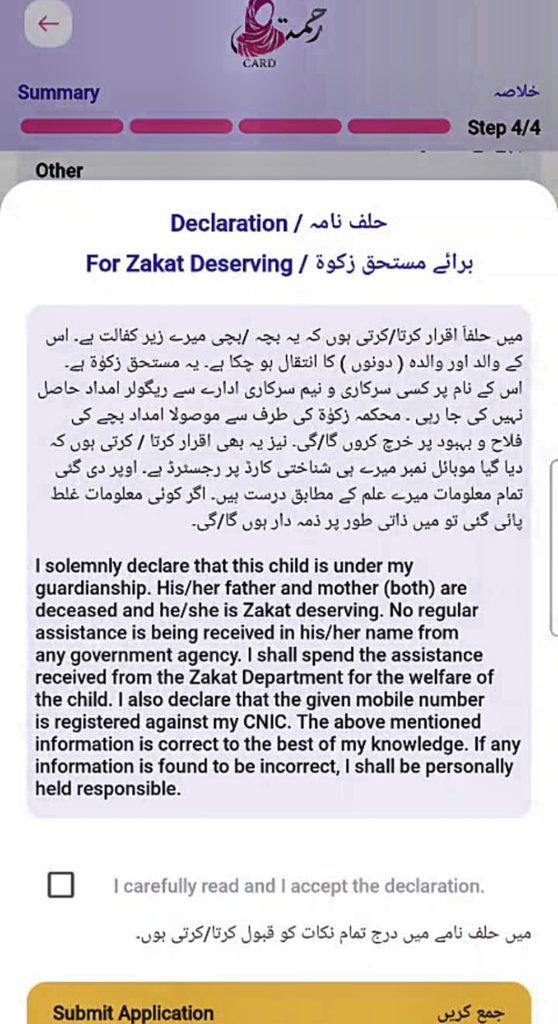
On the dashboard, you will see a button labeled Start Application. Tap this button to open the application form. You will first be asked to select your applicant category, either widow or orphan, by tapping the relevant option. After selecting your category, fill in all the required fields in the form carefully, including your personal details, CNIC number, household information, and the mobile number where your Jazz Cash account will be linked for payment. Review every field before proceeding to make sure there are no errors or missing information.
Once the form is completely filled, tap the Submit button at the end of the application. The app will generate a unique tracking ID for your application immediately after successful submission. v Write this ID down or take a screenshot of it because you will need it every time you want to check the status of your application going forward.
How to Track Your Application Status on the App?
After submitting your application, you do not need to call any office or visit any counter to know what is happening with your case. The CM Rahmat Card app has a built-in status tracking feature that shows you the real-time progress of your application whenever you need to check it.
Steps:
- Log into the CM Rahmat Card app using your CNIC and password
- Tap the Track Status button visible on your account dashboard
- Enter your unique application tracking ID in the field provided
- Tap Track to retrieve the current status of your submitted application
- The screen will show approved, under review, or rejected status instantly
Keeping your tracking ID saved at all times ensures you can check your status whenever needed without any difficulty.
What to Do If You Face Any Problem During the Process?
Some applicants may encounter difficulties during registration, OTP verification, or the application process itself. These issues are usually straightforward to resolve and the government has provided official support channels specifically for this purpose. You do not need to struggle alone or give up if you run into a problem at any stage.
The quickest way to get help is by calling the official helpline at 1077, where trained support staff are available to guide you through any step of the process. If you prefer in-person assistance, you can also visit your nearest local Zakat office where representatives are present to help eligible applicants complete their registration and application correctly.
You Can Also Read: Kisan Card Phase III Loan Payers Winners List Has been Released
Final Thoughts
The CM Rahmat Card app brings a much-needed welfare program directly into the hands of widows and orphan households across Punjab through a simple and accessible mobile experience. With a total of 50,000 families eligible to receive assistance and the payment delivered through Jazz Cash, the program is designed to be both efficient and dignified for those who qualify.
If you or someone you know is a widow or belongs to an orphan household in Punjab and meets the eligibility conditions, download the CM Rahmat Card app from the Google Play Store today and complete the registration without delay. The program has a fixed number of beneficiary slots, and applying early gives deserving families the best possible chance of being included in the approved list before the quota is filled.
FAQs
Q1: Where can I download the CM Rahmat Card app to apply for the program?
The CM Rahmat Card app is available for free on the Google Play Store. Search for CM Rahmat Card, install the official app from Punjab Information Technology Board, and open it to begin registration.
Q2: How much financial assistance will widows receive under the CM Rahmat Card program?
Eligible widows will receive Rs 1 lakh as direct financial assistance along with Rs 25,000 per child, delivered digitally through a Jazz Cash account linked to their registered mobile number.
Q3: What verification steps are required during account creation on the app?
After filling in your details, the app will send separate OTP codes to both your registered mobile number and your email address, and both must be entered correctly to activate your account.
Q4: How do I start my application after creating an account on the CM Rahmat Card app?
After logging in, tap the Start Application button on your dashboard, select your applicant category, fill in all required fields, and tap Submit to complete and send your application.
Q5: How can I check the status of my CM Rahmat Card application after submitting it?
Log into the app, tap Track Status on your dashboard, enter your application tracking ID that was given after submission, and the screen will immediately show whether your application is approved, under review, or rejected.