CM Punjab Rahmat Card Online Registration
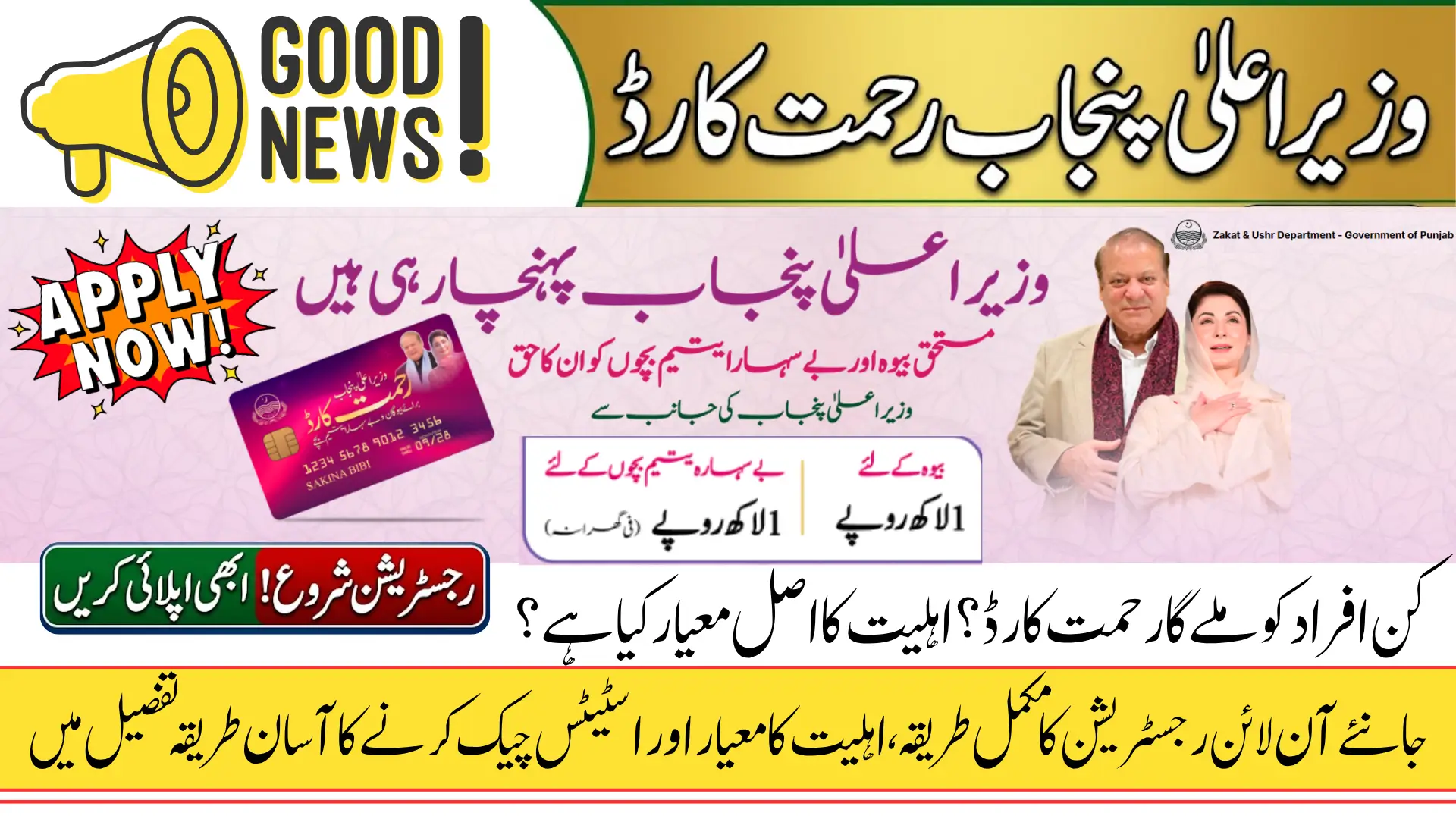
The Government of Punjab has launched one of its most meaningful welfare initiatives of 2026 in the form of the Chief Minister Punjab Rehmat Card program. This scheme has been introduced under the Zakat and Ushr Department of Punjab with the primary goal of providing direct financial assistance to two of the most vulnerable groups in society, widows and helpless orphans. The program reflects a genuine commitment from the chief minister to ensure that those who have no one to rely on financially are not left without support from the state.
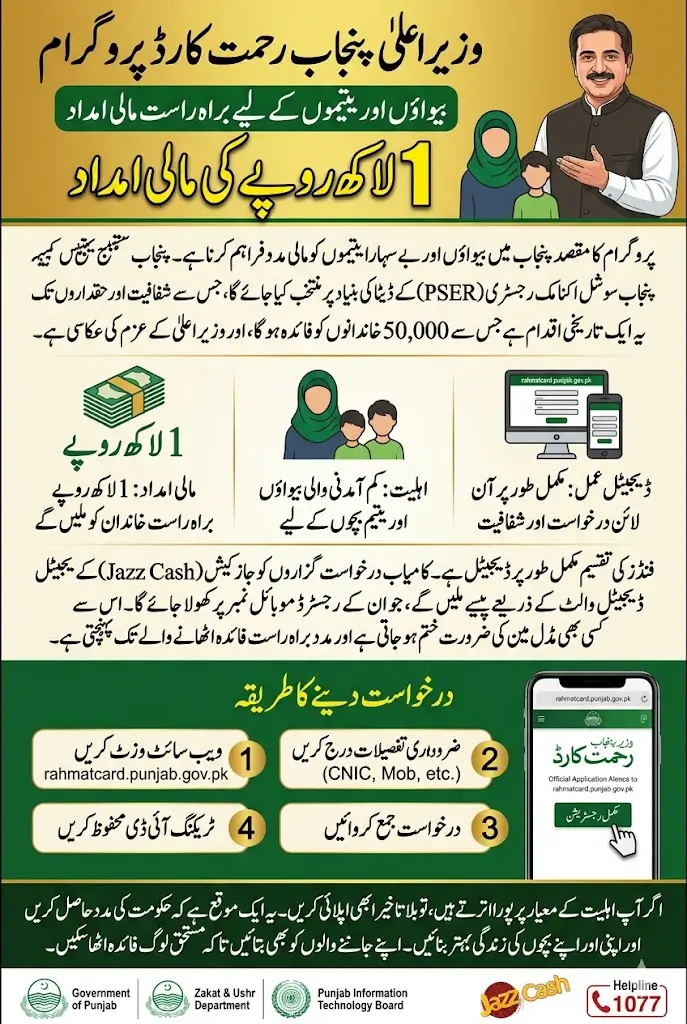
What makes this program stand out from previous welfare schemes is its fully digital and transparent registration process. Everything from applying for the card to tracking your application status can be done online through the official website rahmatcard.punjab.gov.pk. The integration of PSER data for beneficiary selection and the involvement of PITB ensures that the process is both data-driven and technologically sound. This article covers everything you need to know about the program, who qualifies, how to register, how to log in, and how to check your application status step by step.
You Can Also Read: Kisan Card Phase III Loan Payers Winners List Has been Released
What Is the CM Punjab Rehmat Card and Who Is It For
The Chief Minister Punjab Rehmat Card is a targeted financial assistance program that has been launched specifically for widows and helpless orphans living across Punjab. The chief minister has personally directed the issuance of these cards to 50,000 deserving families, recognizing that these households face unique and severe financial hardship without any consistent source of income or family support.
The program is built on a straightforward and powerful message, that the chief minister of Punjab is committed to giving deserving widows and helpless orphans their rightful share of support. By formalizing this commitment through a structured scheme backed by the Zakat and Ushr Department and executed with the technological capabilities of PITB, the government has created a mechanism that is both accountable and scalable for the people who need it most.
Financial Assistance Provided Under the Rehmat Card Program
The Rehmat Card program delivers a fixed and clearly defined amount of financial assistance to every eligible household. The simplicity of the assistance structure makes it easy for applicants to understand exactly what they will receive once approved, without any confusion about eligibility tiers or variable amounts.
Both categories of beneficiaries, widows and orphan households, receive the same level of financial support under this program. The assistance amounts are as follows.
- Widows who meet all eligibility conditions will receive Rs 1 lakh as direct financial assistance through the program
- Helpless orphans registered under the program will also receive Rs 1 lakh per household
- The funds will be delivered digitally through a Jazz Digital Wallet or Jazz Cash account linked to the registered mobile number
- Beneficiaries will be selected based on data from the Punjab Socio-Economic Registry known as PSER
- The program is being jointly executed by the Zakat and Ushr Department and the Punjab Information Technology Board
The decision to deliver funds through a digital wallet system is a practical one that reduces the risk of funds being misused or delayed. Once the Jazz Cash account is opened on the registered mobile number, the assistance can be accessed by the beneficiary directly without any middleman involvement.
You Can Also Read: BISP 8171 Online Registration Process Explained!
Eligibility Criteria You Must Meet Before Applying
Before you begin the registration process, it is important to understand whether you actually qualify for the Rehmat Card. The government has set specific eligibility conditions that must be fully met for an application to be considered. Applying without meeting these conditions will result in rejection, so it is important to review them carefully before submitting any information.
All of the following conditions must be fulfilled simultaneously for your application to be valid and considered for approval by the relevant authorities.
- You must belong to a low-income family as verified through official government data systems
- The mobile number you provide must be registered on your National Identity Card record with NADRA
- If applying as a widow, your NADRA CNIC must clearly reflect the status of widow on the official record
- You must not be a government employee or a recipient of any government pension
- If applying on behalf of an orphan child, the child must have a valid B-Form issued by NADRA
- You must be a permanent resident of Punjab and currently living within the province
These conditions have been put in place to ensure that the assistance reaches only those who genuinely need it. The use of NADRA and PSER data for verification means that any false information provided during registration will be cross-checked against official government records.lso call the helpline at 1077 for direct guidance from the program support team.
How to Apply Online Via rahmatcard.punjab.gov.pk?
The registration process for the Rehmat Card has been designed to be as simple and user-friendly as possible. You can complete it from your mobile phone or computer by visiting the official website rahmatcard.punjab.gov.pk and following the steps outlined on the registration page. To start registration, click on the register button
- Application Type: First select the category you are applying under. If the applicant is a widow, click on the circle of Widow, and if you are applying for orphans, select Double Parent Orphans.
- Name of Applicant: Here, write your full name, exactly as it appears on your NADRA CNIC.
- CNIC Number: In this field, enter your 13-digit National Identity Card number with a dash (-) (for example: XXXXX-XXXXXXX-X).
- Mobile Number: Enter your current mobile number. Important: It is mandatory that this mobile number is registered on the same CNIC whose number you have given above.
- Password: Here you have to create a new and strong password for your account. As per the instructions given in the form, your password must be at least 8 characters long and must contain the following 4 things:
- At least one uppercase letter (A, B, C)
- At least one lowercase letter (a, b, c)
- At least one number (1, 2, 3)
- At least one special character (@, #, $, % etc.)
- (For example, you can create a password like this: Pakistan@123)
- Confirm Password: Retype the exact same password you created in the above box in this box.
- Consent Checkbox: Tick (✔) the checkbox given at the end. Ticking this means that you are confirming that the mobile number is in your name, and you are authorizing the opening of a Jazz Digital Wallet (Jazz Cash) account on this number so that you can receive the financial assistance of the Punjab Government’s Rehmat Card directly.
- Submit the form: Once you have filled all the fields correctly, click on the yellow button “Complete Registration” at the bottom. Your form will be submitted.
After submission, you will receive a tracking ID that you should save carefully. This ID will be used to monitor the progress of your application through the track status feature on the website.
You Can Also Read: Parwaaz Card Online Registration Started For Job Holders
How to Log Into Your Rehmat Card Account?
Once you have successfully completed registration, you will need to use the login function to access your account and check updates on your application. The login process is simple and requires only the information you used during registration.
To log in, click on the login button at the top of the official website. The login form will appear on your screen and you will need to fill in the following details in the correct order to access your account securely.
- 1. CNIC Number: In the first box, enter your 13-digit National Identity Card number with dashes (-) (for example: XXXXX-XXXXXXX-X). This must be the exact same CNIC number that you used during registration.
- 2. Password: Here, enter the password you created while filling out the registration form. If you want to check whether you have typed the password correctly, you can click on the ‘eye’ icon located on the right side of the box to view your password.
- 3. Captcha: This is for security purposes. You will see some English letters and numbers written in a purple box (like RYL48 in the example). You need to type these exact letters and numbers into the box below where it says “Enter captcha code”.
- Note: If you cannot read the captcha characters clearly, you can click the Refresh button to get a new captcha code.
- 4. Remember me (Optional): If you tick (✔) this small square box on your mobile or computer, you will not have to repeatedly type your CNIC number and password the next time you log in.
- 5. Forgot Password?: If you ever forget your password, you can click on this option to create a new one.
- 6. Login: After filling in all this information correctly, click the yellow button at the bottom that says “لاگ ان / Login”. You will then successfully enter your account.
The captcha is a security feature that changes each time the page loads. If the characters are difficult to read, use the refresh option to generate a new captcha code that is easier to interpret before entering it.
How to Track Your Application Status?
After registering and logging in, one of the most useful features available to you is the application tracking tool. This allows you to check in real time whether your application has been approved, is still under review, or has been rejected, so you always know where your case stands.
To use the tracking feature, click on the track status button at the top of the rahmatcard.punjab.gov.pk website.
1. Track your ID: In the box where “RHM-” is already written, you need to enter your application’s tracking number.
- Below this box, an example is provided showing what this number looks like:
RHM-xxxx-xxxxxx - You simply need to type the specific numbers following “RHM-” that you received after completing your registration.
2. Track Application: After entering your complete and correct ID, click the purple button below that says “Track Application / درخواست کو ٹریک کریں“.
As soon as you click this button, the status of your application will appear on the screen, indicating whether it has been approved, is currently under review, or has been rejected.
You Can Also Read: Punjab Govt Announces New Jobs In 2026 Check Eligibility & Apply
Contact Info If Face Any Problem
If you need any assistance or have questions while filling out your application, help is just a phone call away. You can easily reach the official support team by dialing the helpline at 1077 for immediate guidance and troubleshooting.
For those who prefer face-to-face assistance or need further clarification regarding their eligibility and documentation, there is also an in-person option. You can simply visit your local Zakat office, where representatives are available to help you complete the process smoothly.
Overview of the Rehmat Card Program
The table below summarizes all the key details of the Chief Minister Punjab Rehmat Card program for quick reference before you begin your application.
| Program Detail | Information |
|---|---|
| Program Name | Chief Minister Punjab Rehmat Card |
| Launched By | Government of Punjab, Zakat and Ushr Department |
| Technology Partner | Punjab Information Technology Board (PITB) |
| Total Beneficiary Families | 50,000 Families |
| Assistance for Widows | Rs 1 Lakh Per Household |
| Assistance for Orphans | Rs 1 Lakh Per Household |
| Selection Method | Punjab Socio-Economic Registry (PSER) |
| Payment Method | Jazz Digital Wallet or Jazz Cash Account |
| Official Website | rahmatcard.punjab.gov.pk |
| Helpline Number | 1077 |
This summary gives you a complete picture of the program in one place. If you have any questions that are not addressed on the website, you can a
Final Words
The Chief Minister Punjab Rehmat Card is a well-structured and genuinely helpful welfare program that uses modern technology to deliver financial support to widows and orphans who are among the most vulnerable members of society in Punjab. The combination of PSER-based selection, digital payment through Jazz Cash, and an easy-to-use online portal makes this one of the more transparent and accessible welfare initiatives the province has launched in recent years.
If you or someone you know meets the eligibility criteria, do not delay in completing the registration at rahmatcard.punjab.gov.pk. The program is limited to 50,000 families, and timely registration gives deserving households the best chance of being selected and receiving the assistance they are rightfully entitled to under this program.
You Can Also Read: Scholarships 2026 for Children of Overseas Pakistanis
FAQs
Q1: Who can apply for the CM Punjab Rehmat Card?
Widows whose CNIC reflects widow status and helpless orphans with a valid B-Form who belong to low-income families in Punjab are eligible to apply for this program.
Q2: How much financial assistance does the Rehmat Card provide?
Both widows and orphan households receive Rs 1 lakh each as direct financial assistance, delivered through a Jazz Cash digital wallet linked to the registered mobile number.
Q3: What is the official website to register for the CM Punjab Rehmat Card?
You can register for the Rehmat Card by visiting the official website rahmatcard.punjab.gov.pk and clicking on the registration button at the top of the page.
Q4: How will beneficiaries be selected for the Rehmat Card program?
Beneficiaries will be selected through the Punjab Socio-Economic Registry known as PSER, which uses existing government data to identify and verify deserving low-income households.
Q5: What helpline number can I call for more information about the Rehmat Card?
You can call the helpline number 1077 for any additional information or assistance related to the CM Punjab Rehmat Card program and its registration process.