How to Get Electricity Bill Subsidy
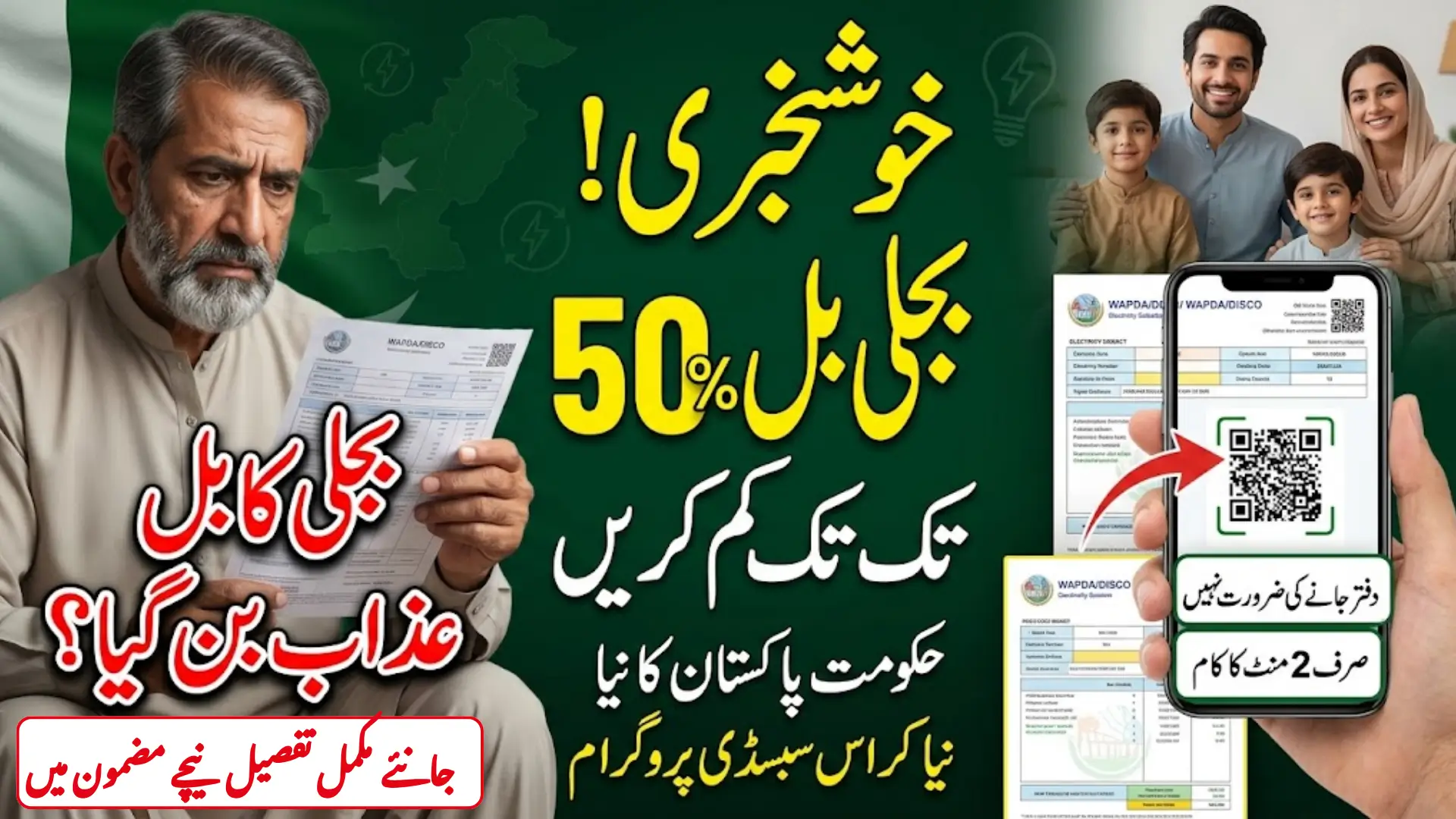
Your electricity bill is getting harder to manage every month. Good news though. The Government of Pakistan has launched a Cross Subsidy Program that can reduce your monthly electricity bill by up to 50%. And the best part? You do not need to visit any office. The entire registration process takes less than 2 minutes from your mobile phone, sitting at home.
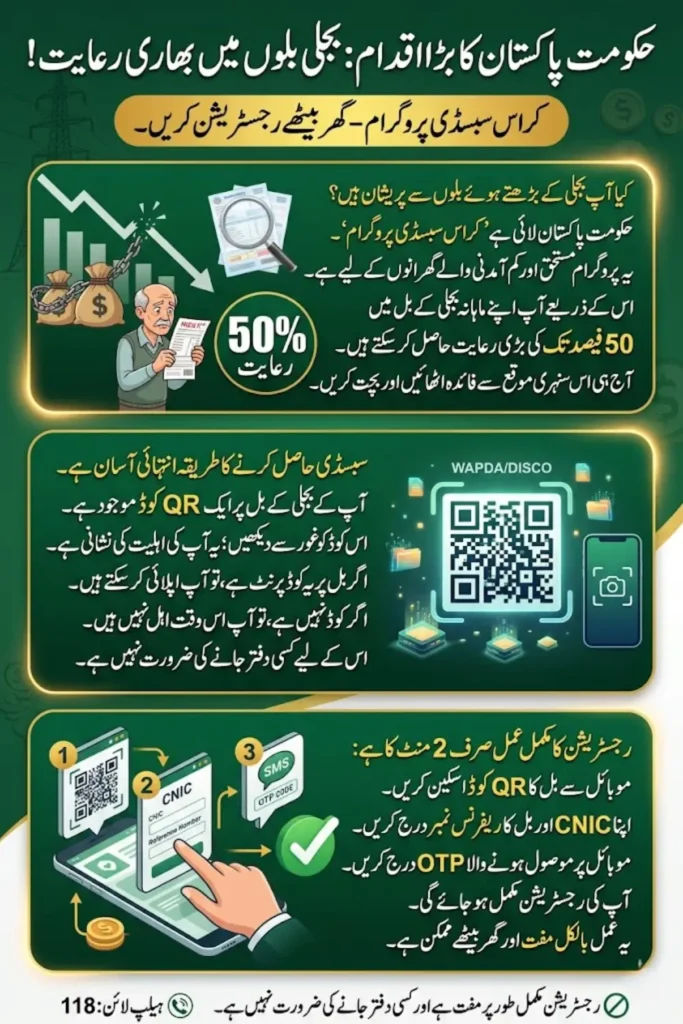
But here is what most people still do not know. Your electricity bill itself contains the key. There is a QR code printed right on your bill. Scan it, fill in two simple details, and you could start saving thousands of rupees every single month.
Thousands of deserving families across Pakistan, from Karachi to Peshawar and from Lahore to Quetta, are already receiving this relief. The real question is: are you one of them? You can check your detail by using this page guide.
Also Read: PITC Cross Subsidy Program 2026: Who Qualifies
Program Detail
| Detail | Information |
|---|---|
| Program Name | Cross Subsidy Program, Government of Pakistan |
| Who Can Apply | Low-income households with valid CNIC and electricity connection |
| Maximum Subsidy | Up to 50% of total monthly bill |
| Application Method | QR code scan printed on your electricity bill |
| Cost to Apply | Completely free |
| Office Visit Required | No, apply fully from home |
| Time to Complete | Less than 2 minutes |
| Subsidy Applied | Directly to your WAPDA or DISCO account |
| Documents Needed | CNIC number and Bill Reference Number (Ref No) |
Who Is Eligible for This Subsidy?
Before you scan anything, you have to understand who qualifies. The system verifies everything automatically through NADRA and official electricity company records. There is no way to trick it with fake information.
You are eligible if:
- Your monthly electricity consumption falls within the subsidized units limit
- You have a valid electricity connection with a printed Reference Number on your bill
- Your household falls in the low-income category
- Your CNIC is valid and matches the name registered on the electricity account
- You have not been excluded from government subsidy programs previously
One thing you must check first: if there is no QR code printed on your electricity bill, you are not eligible for this subsidy. The QR code only appears on bills of households that the government system has already identified as potentially qualifying. No QR code means no subsidy, and there is no alternative way to apply.
Also Read: Today Last Date Of Apna Khet Apna Rozgar Program Application – Detail Inside
How to Register for Electricity Bill Subsidy from Home
This is the complete step-by-step process. Follow each step carefully and do not skip any.
Step 1: Find the QR Code on Your Electricity Bill
Take out your latest electricity bill. Look carefully for a QR code box printed on it. It is usually located near the bottom section or on the back side of the bill. Right next to the QR code or just below it, there will be printed text showing your current bill amount and the subsidy amount you are eligible to receive.
It will show something like this:
“Your Total Bill is Rs. [Amount] and You Have Received Subsidy of Rs. [Amount]”
This is your confirmation that you are eligible and the subsidy is waiting for you. You simply need to complete registration to claim it.
Step 2: Open Google Lens on Your Mobile Phone
Open the Google Lens app on your mobile phone. If you do not have it installed, download it for free from the Google Play Store on Android or the App Store on iPhone. Google Lens is completely free and takes only a few seconds to install.
Once open, point your phone camera at the QR code printed on your electricity bill. Hold it steady for a moment. Google Lens will read the code instantly.
Step 3: Tap the Link That Appears on Your Screen
After scanning, a website link (URL) will appear on your phone screen. Tap on that link. It will take you directly to the official government registration portal for the subsidy program.
Do not try to type the URL manually. Always use the QR code scan method. It ensures you land on the correct and secure government page.
Step 4: Enter Your CNIC and Bill Reference Number
On the registration page, you will see a simple form with two fields. Enter the following:
- Your CNIC Number — your 13-digit National Identity Card number (no dashes or spaces needed)
- Your Bill Reference Number (Ref No) — this number is clearly printed on your electricity bill
That is all you need. No lengthy forms, no extra documents, no attachments. Just your CNIC and your Ref No.
Step 5: Click the Confirm Button
After entering both details correctly, click the Confirm button or the Submit button shown on the screen. The system will now verify your details against the official government and NADRA records.
Step 6: Receive Your OTP and Enter It
Within a few seconds, you will receive a One-Time Password (OTP) as an SMS on your registered mobile number. This is the mobile number that is currently linked to your electricity account at the WAPDA or DISCO office.
Enter this OTP in the box shown on the registration page, then click the Confirm button again.
Step 7: Registration Is Complete
Your registration is now complete. The subsidy will be applied directly to your electricity meter account by the system. You will see the reduced bill amount when your next electricity bill is generated.
The reduction can be up to 50% of your total bill. So for example, if your normal monthly bill is Rs. 6,000, you could end up paying just Rs. 3,000 or even less, depending on your eligibility level.
What Your Bill Will Look Like After Subsidy Is Applied
After successful registration, your next electricity bill will clearly show the following figures:
- Total Bill Amount: the original calculated bill before any deductions
- Subsidy Amount Deducted: the exact amount cut from your bill under this program
- Net Payable Amount: what you actually need to pay after the subsidy
You do not need to do any manual calculations. Everything is clearly printed on the bill. The subsidy detail is also always shown near the QR code section on the bill for your reference each month.
Also Read: CM Punjab IT Internship Program 2026 – Eligibility, Stipend, & How to Apply (Complete Guide)
Registration Failures: Every Problem and Its Solution
Many people across Pakistan are facing issues during or after registration. Here is a clear and honest breakdown of every possible problem and exactly what you should do in each case.
Problem 1: The Portal Is Not Opening or the Website Is Not Loading
This is the most common issue reported. The government portal sometimes gets overloaded because a very large number of people are registering at the same time.
Solution: Do not panic and do not assume you are not eligible. Simply wait 1 to 2 hours and try again. If it still does not load, wait 1 to 2 days and try once more. The portal comes back up on its own once the load reduces. Make sure your mobile internet connection is stable before trying again.
Problem 2: The QR Code Is Not Scanning or Not Working
Sometimes the QR code on the bill is faded, slightly torn, smudged, or the phone camera cannot read it clearly.
Solution: Try scanning in brighter lighting. Clean your phone camera lens with a soft cloth. Hold the phone at different angles and distances. If it still does not work after multiple tries, take your electricity bill and your original CNIC to the nearest WAPDA or DISCO office. The staff at the counter will scan the code on their system and help you complete the registration.
Problem 3: OTP Is Not Received on Your Mobile Phone
You entered your details and clicked Confirm, but no OTP message arrived on your phone.
Solution: This almost always means the mobile number currently registered with your electricity account is either outdated or incorrect. You need to visit your local WAPDA or DISCO customer service office and ask them to update your mobile number in their system. Once the number is corrected, return home and complete the registration again. The OTP will then arrive on your updated number without any issue.
Problem 4: Subsidy Not Deducted Even After Successful Registration
You completed the entire registration, received the OTP, and clicked Confirm, but your next electricity bill still shows the full amount with no subsidy cut.
Solution: First, wait a few hours after registration. Sometimes the system takes time to sync your registration across its databases. Check your bill again after a few hours or the next day. If the subsidy is still not showing after 2 to 3 days, call your WAPDA or DISCO helpline or visit their office in person. Show them your registration confirmation and ask them to manually verify and fix the subsidy application on your account.
Problem 5: Bill Shows No Subsidy Despite Eligibility Being Displayed Near QR Code
Your bill clearly shows near the QR code that you are eligible and mentions a subsidy amount, but the final payable amount on the bill does not reflect any deduction at all.
Solution: This is a billing system error on the electricity company’s side. Contact your electricity company’s customer service helpline or visit their nearest office. Show them the section of your bill where the subsidy eligibility and amount are mentioned. They are responsible for investigating and correcting the billing error. Keep your bill safe as evidence.
Problem 6: No QR Code Printed on Your Electricity Bill
You have checked your entire bill carefully but there is no QR code printed anywhere on it.
Important note: If there is no QR code on your electricity bill, you are currently not eligible for this subsidy program. The government system has not flagged your account for subsidy consideration based on the eligibility criteria. There is no alternative registration method available for households without a QR code on their bill. You do not need to visit any office for this specific issue.
Also Read: Punjab Rahmat Card 2026 Deadline Revealed – How Widows & Orphans Can Apply for Rs. 100,000
WAPDA and DISCO Helpline Numbers for Pakistan 2026
If you face any problem that you cannot resolve from home, contact your regional electricity distribution company directly:
| Electricity Company | Region | Helpline Number |
|---|---|---|
| LESCO | Lahore and surrounding areas | 118 |
| IESCO | Islamabad and Rawalpindi | 051-9252626 |
| FESCO | Faisalabad region | 041-9220066 |
| MEPCO | Multan and South Punjab | 061-9220100 |
| HESCO | Hyderabad and Sindh | 022-9200100 |
| PESCO | Peshawar and KPK | 091-9210490 |
| GEPCO | Gujranwala region | 055-9200101 |
| SEPCO | Sukkur and upper Sindh | 071-5630210 |
You can also walk into the nearest WAPDA customer service center in your city. Bring your original electricity bill and your original CNIC. The staff at the counter are trained to assist with subsidy registration issues.
FAQs
Q1: Can I register for the subsidy if I do not have a smartphone?
If you do not have a smartphone, you cannot scan the QR code yourself. Ask a family member, a neighbor, or someone nearby to scan it on your behalf using their smartphone. The registration form only needs your CNIC and your Reference Number, so you can read those details out to whoever is helping you. Alternatively, visit your nearest WAPDA or DISCO office and the staff will complete the registration for you at the counter.
Q2: How much subsidy will I actually get on my electricity bill?
The subsidy can be up to 50% of your total monthly electricity bill. The exact amount depends on your monthly unit consumption and your specific eligibility level as determined by the government system. The exact subsidy amount you qualify for is already printed on your bill, right next to the QR code, before you even register.
Q3: Does this subsidy apply across all electricity companies in Pakistan including LESCO, FESCO, MEPCO, and HESCO?
Yes. The Cross Subsidy Program is a federal government initiative that applies across all electricity distribution companies in Pakistan. This includes LESCO, FESCO, MEPCO, HESCO, IESCO, PESCO, SEPCO, and GEPCO. However, only households that meet the eligibility criteria will have a QR code printed on their bill.
Q4: The OTP arrived from an unknown or unfamiliar number. Is this safe?
The OTP for this government program is sent from an official short code or a verified number linked to NADRA or the electricity distribution company’s systems. It is safe to enter in the registration form. However, never share this OTP with anyone else over a phone call or message. Only enter it on the official registration page that you reached by scanning the QR code on your own bill.
Q5: The bill is in my father’s or husband’s name but I am the one paying it. Can I still register?
The system matches the CNIC entered during registration against the name and CNIC recorded on the electricity account. If the account is registered in another family member’s name, that family member should ideally complete the registration using their own CNIC. If there is a mismatch, both of you can visit the WAPDA office together to sort out the account name and then register from home.
Q6: How long will the subsidy continue? Do I need to re-register every month?
Once you register successfully, the subsidy is applied automatically to your account every month. You do not need to register again. However, the government can update the program terms or eligibility criteria at any time, so it is good practice to check your bill each month to confirm the subsidy is still being applied correctly.
Q7: I am moving to a new house. Will my subsidy transfer to the new address?
No. The subsidy is tied to the specific electricity connection and Reference Number at your current registered address. A new house will have a completely different electricity account and Reference Number. You will need to check whether the new connection has a QR code on its bill and whether it is eligible for the subsidy separately.
Final Word
Electricity bills have become one of the biggest financial pressures on low-income households across Pakistan. The Cross Subsidy Program is a real and working attempt to ease that pressure, and unlike many government schemes, this one requires no middleman, no token system, and no long queues at any office.
Everything you need is already printed on your electricity bill. The only tool you need is the mobile phone already in your hand. And the reward could be cutting your monthly electricity cost in half. Check your bill right now. If that QR code is there, do not wait another day.